
Execution workspace

Tell PEAK what you want.

It turns intent into real work, asks before risky moves, and leaves receipts.

Get Started Free
Intent to receiptVerified
1

Intent

Launch client project

2

Action

Tasks, docs, calendar

3

Receipt

Proof attached

Latest receipt

Project created, owners assigned, first milestone scheduled.

What it does

One simple loop.

Peak is not another chat box beside your work. It is the place where the work changes.

01

Say the goal

Voice or text. Peak turns messy intent into real workspace objects.

02

Approve the risky parts

Friday moves fast when it can and asks before sensitive changes.

03

Keep the receipt

Tasks, docs, events, diagrams, and proof stay attached to the project.

PRODUCTIn action

See Peak move the work.

Real product surfaces for the work that matters: dashboard, Friday, diagrams, and tasks.

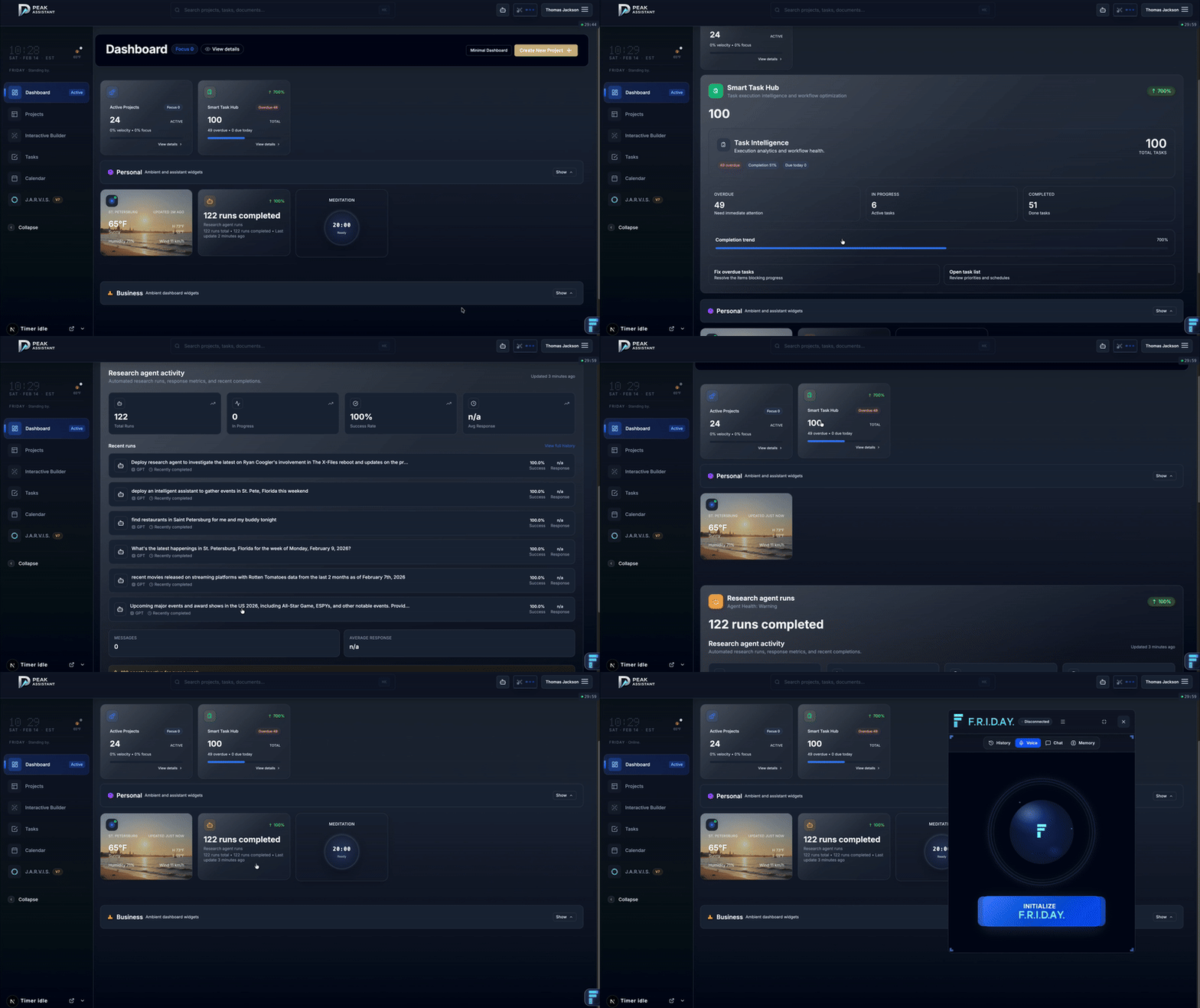
Dashboard Command Center

Dashboard

Dashboard Command Center

Priorities, signals, tasks, and workspace state in one home base.
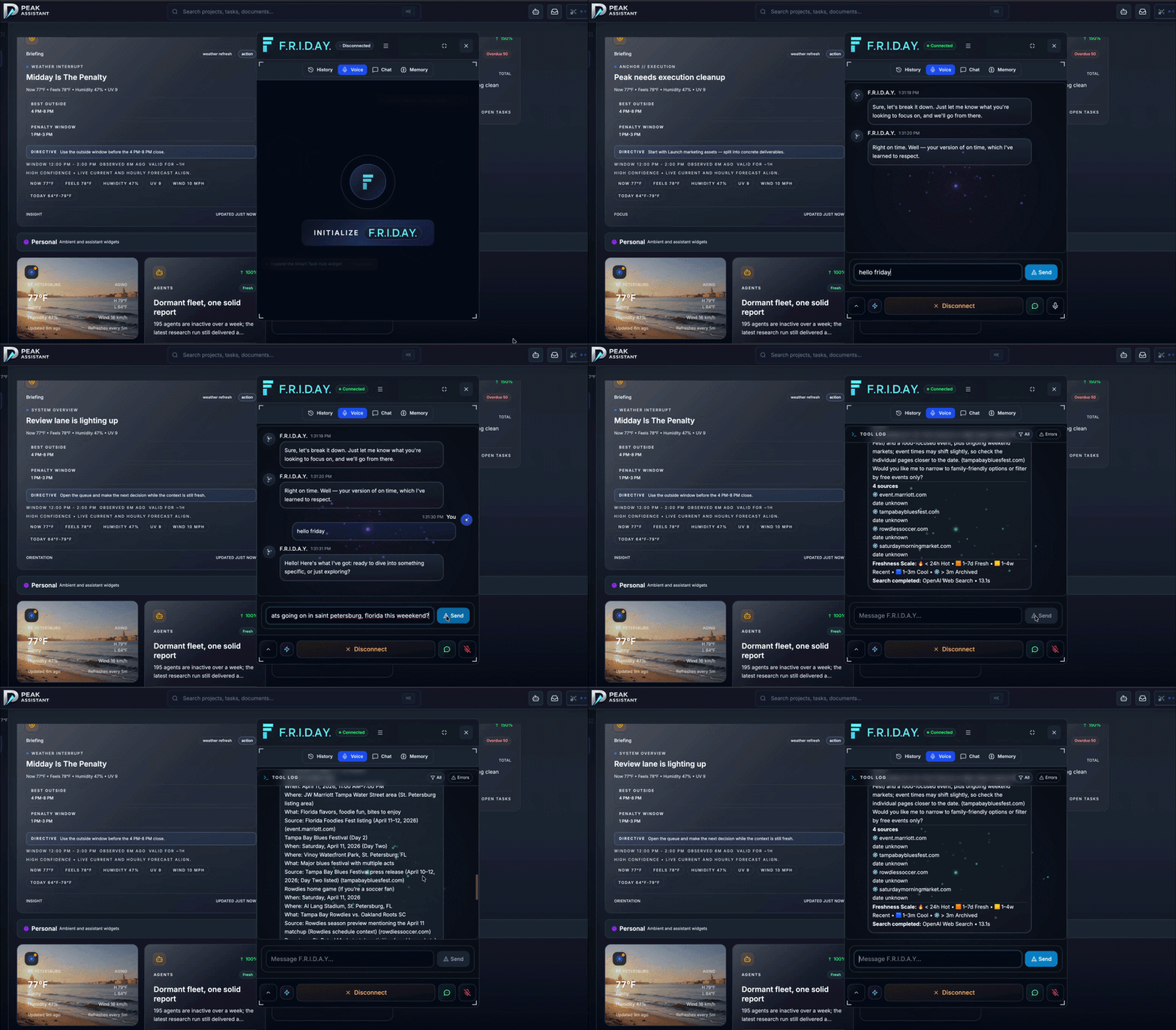
Voice-First Actions

Friday

Voice-First Actions

Ask for the outcome. Friday routes the work and gates sensitive actions.
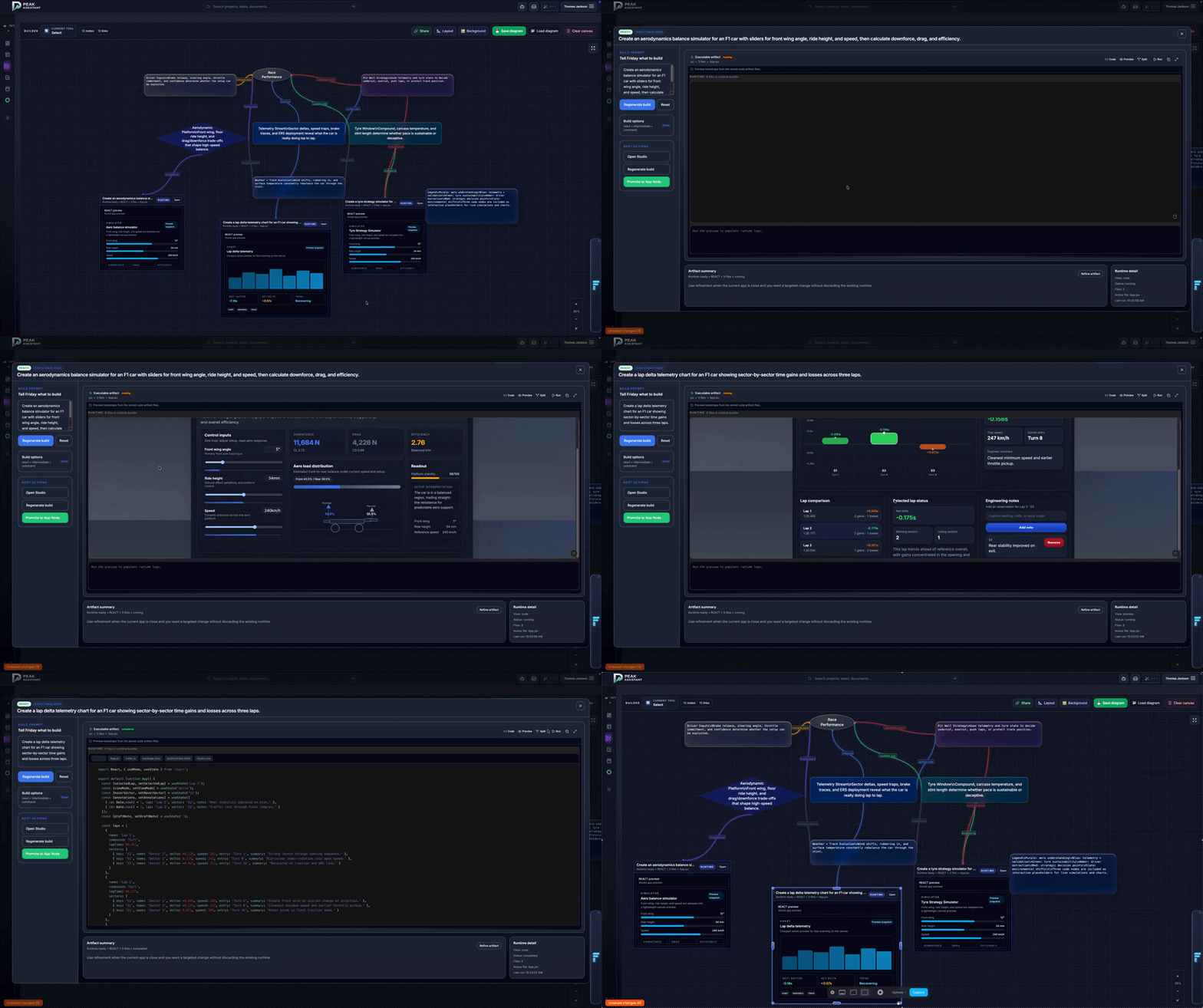
Interactive Diagram Builder

Diagrams

Interactive Diagram Builder

Generate and refine workflow diagrams from project context.
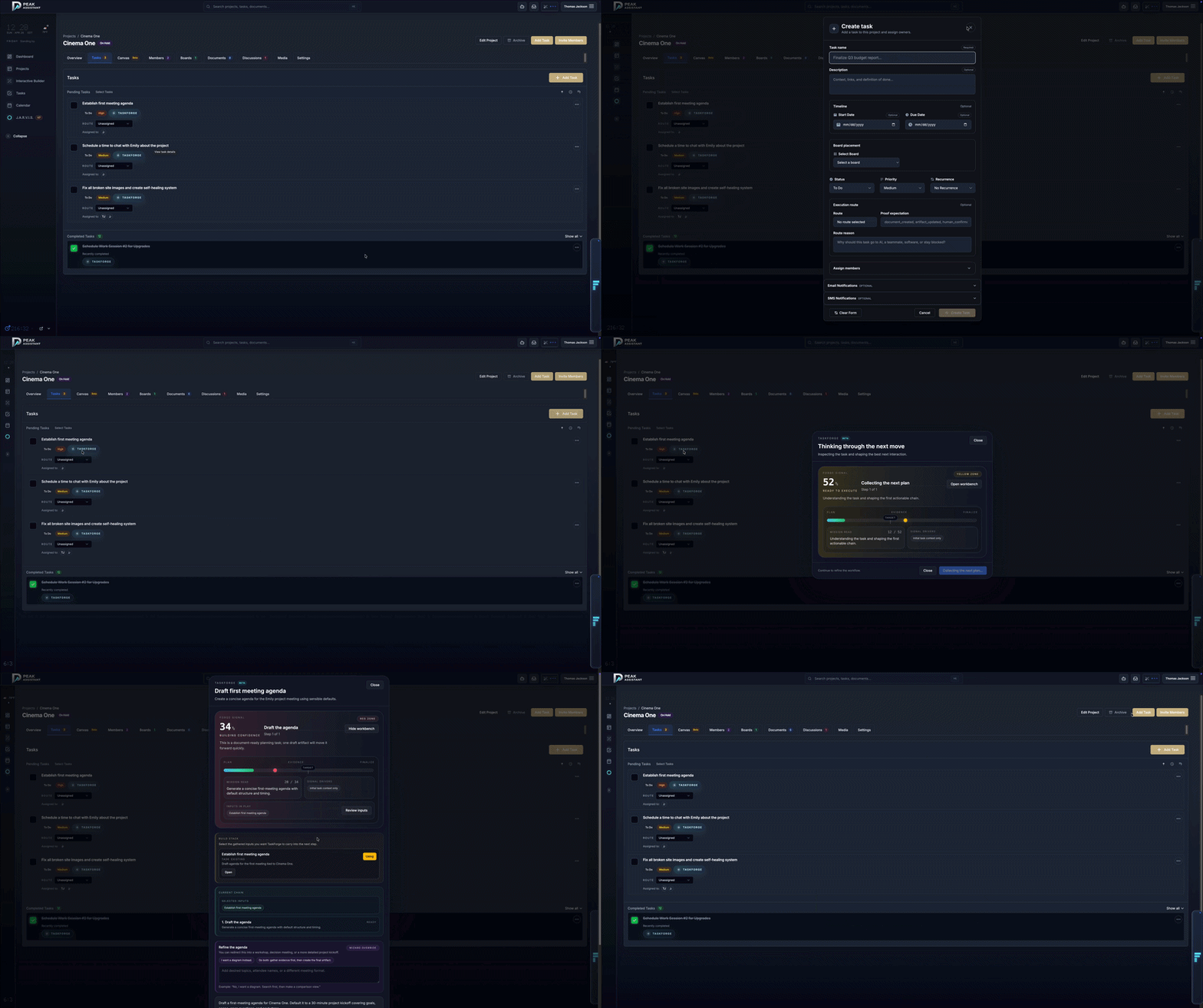
Task Board and Bulk Ops

Tasks

Task Board and Bulk Ops

Dense task work without losing owners, status, or next action.

Why it works

Fast execution. Adult supervision.

Friday can move work across the workspace, but the operator stays in charge. Sensitive actions get confirmation. Every meaningful change leaves evidence.

Confirmation gates for risky or irreversible actions
Audit-ready receipts attached to visible state changes
Private by default with permissioned workspace behavior

What stays inside Peak

The parts of work that usually leak into tabs.

Projects, tasks, docs

The core work lives in one place instead of across five almost-right tools.

Calendar and scheduling

Create events, check conflicts, and keep the plan tied to the project.

Diagrams and visual thinking

Turn project state into maps, flows, and shareable artifacts.

Research and image generation

Pull current facts or create supporting visuals without leaving the session.

Persistent memory

Jarvis keeps context alive across sessions, decisions, and handoffs.

Themeable workspace

Prompt the vibe, keep the interface readable, and save the look.

Built for

People running too many moving parts.

Studios, founders, operators, and small teams that need the system to keep up without turning into another thing to babysit.

You

Create a client launch project, schedule kickoff, draft the first tasks, and show me the proof.

Peak

Project prepared. Calendar checked. Tasks created. Receipt ready.

Pricing

Pricing without the little gotcha maze.

Every plan includes workspace credits. Start free, top up when the work gets louder.

Solo Builder

$49.99/mo
  • 1 seat included
  • 1,000 Friday credits / month
  • Up to 10 active projects
  • Unlimited transcripts and memory
  • Calendar and integrations
Get Started
Most popular

Professional

$89/mo
  • 1 seat included
  • 2,500 Friday credits / month
  • Up to 50 active projects
  • Advanced voice streaming
  • Analytics and priority support
Get Started

Teams

$79.99/seat/mo
  • Billed per seat
  • 1,500 Friday credits / seat / month
  • Unlimited active projects
  • Shared memory and permissions
  • Admin controls and audit visibility
Get Started

1 credit = $0.01. Included credits refresh monthly. Top-ups never expire.

Ready to build

Give Peak a real week.

Start free, then throw real work at it. That is where the difference shows up.

Get Started Free